
Theory you can hear.
Guides pair plain words with pictures and playable examples. Many use your own song, so the lesson has something to do with what you’re making.
Explore the guides →Free music app · Very early access
A music sketchpad that explains itself. Try chords, write a song and shape a sound — with theory guides and real-time help beside you.
DAW In Theory. No account. Your music stays on your computer.
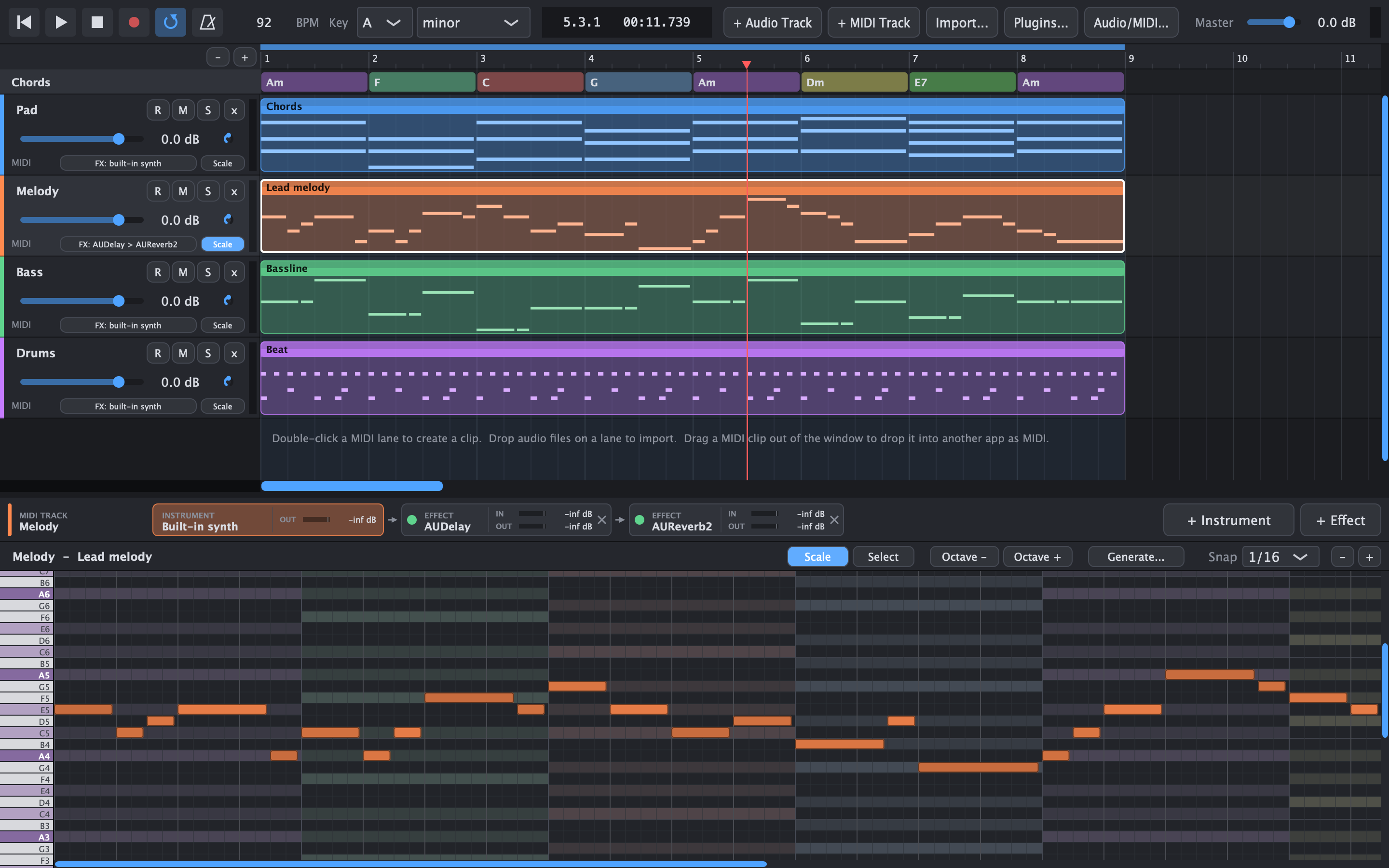
Your key. Your chords. Your song as the example.
A familiar music workspace. An explanation within reach.
Why DawIt exists
A full digital audio workstation helps you produce a finished record. DawIt gives you room to learn the choices behind it: why a chord fits, what a compressor changes, and where the sound goes.
Guides pair plain words with pictures and playable examples. Many use your own song, so the lesson has something to do with what you’re making.
Explore the guides →Hover over an effect control to learn what it does, what your setting means in numbers, and which starting points suit a voice, a kick or a bass.
See real-time help →Follow the levels through an effects chain. See what compression turns down. Watch a filter change a note’s harmonics as it plays.
Explore sound and mixing →Made for curious musicians
Start with a sound you like, a line you wrote, or a chord you want to understand.
DawIt is for people learning music, writers finding an idea, players practising a part, and producers exploring how sound works. You don’t need to read music to begin.
Find your way in →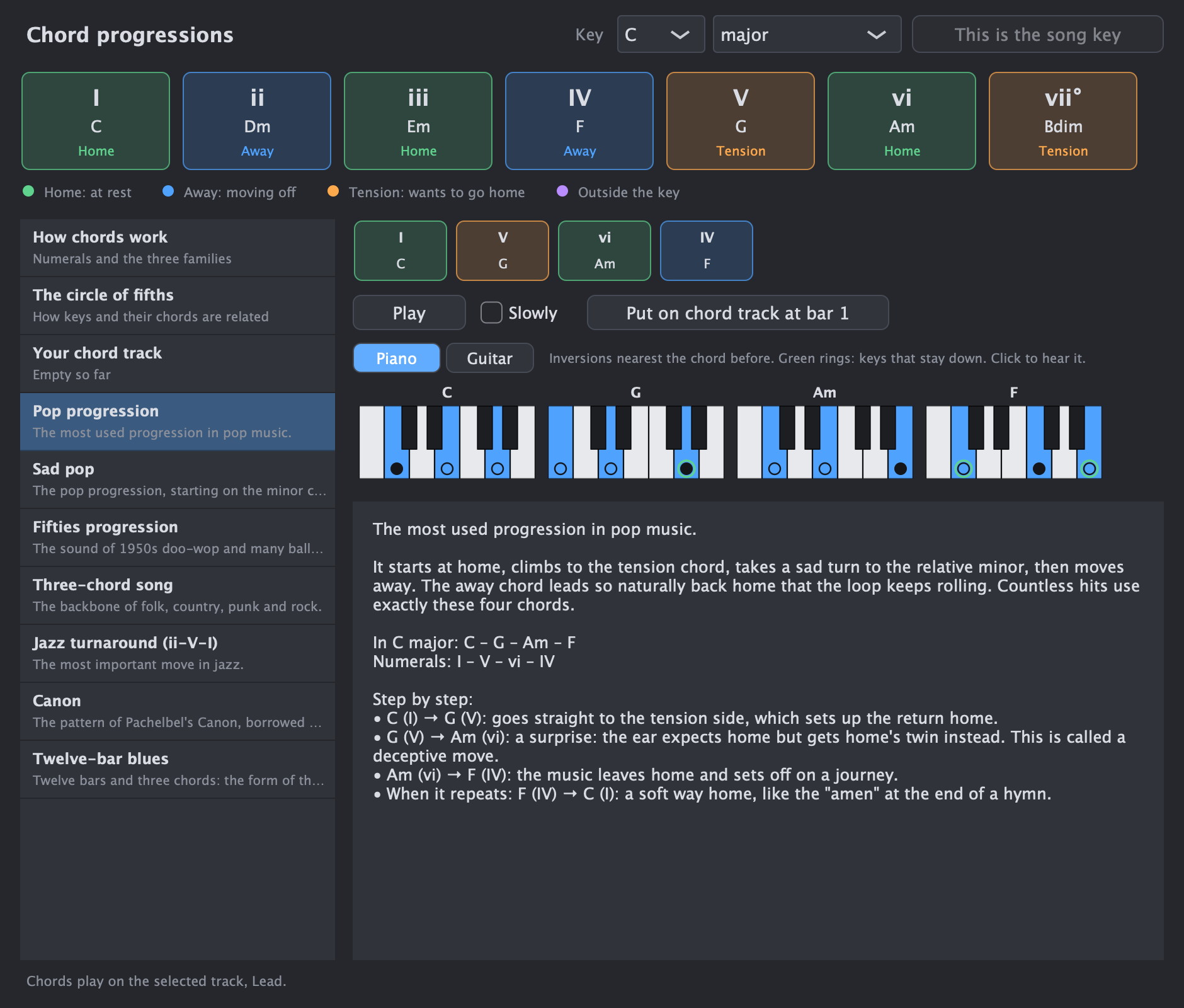
From an idea to something you can play
The features are grouped around what you want to do, so you can start with a task instead of a list of controls.
A starting point. Skills that stay with you.
Keep using your full DAW — or grow into one.
DawIt has real tracks, clips, recording, instruments and effects. Its focus is understanding and experimenting. Move a sketch to Logic, Ableton or another DAW as MIDI, or bounce the mix to WAV.
Where DawIt fitsBuild the idea and learn the choices.
Take the music and the understanding with you.
Your next step
Open a guide, try an idea, and hear what changes.